
Choose whether your feed shows rooms, roommates or both
Your feed can show two kinds of listing: rooms and apartments people are renting out, and people looking for a roommate. Listing types decides which of them you see. It is the first thing in Feed Settings, and it also decides which filters appear below it.
On the iPhone app
Open the Listings tab and tap the sliders icon in the top left.
This opens Feed Settings.
Under Show Me, choose All Listings, Rooms or Roommates.
All Listings shows both kinds. Rooms shows only places to live. Roommates shows only people. The sections below change as you switch: housing filters for rooms, roommate filters for people, and both for All Listings.
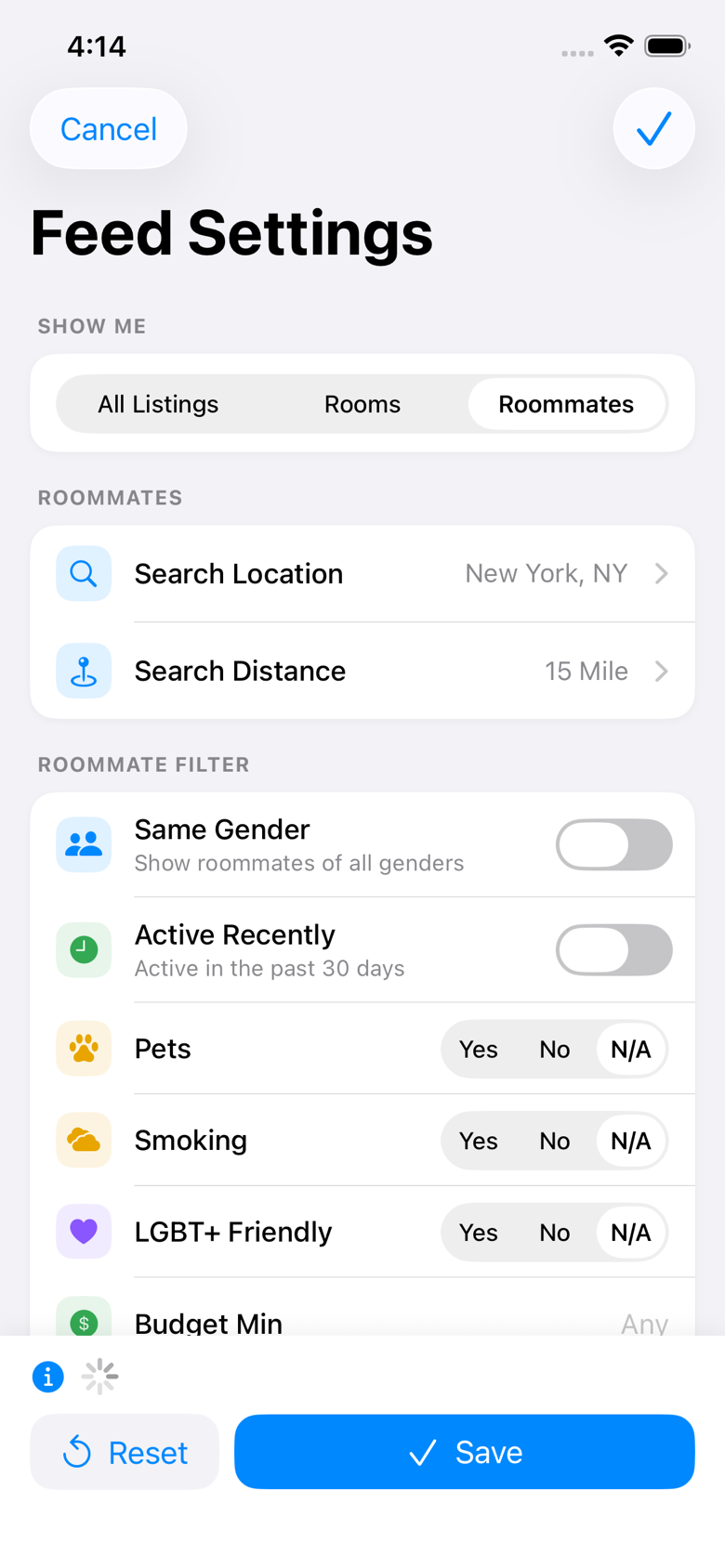
Check the count above the buttons at the bottom.
It shows how many listings match your choice and filters, and updates as you change them, so you can see the effect before you save.
Tap Save.
Your feed reloads with the new settings once you close the screen.
On the website
On the Listings page, select Filters at the top right.
This opens Feed settings.
Under Listing types, choose All Listings, Rooms or Roommates.
As on the app, the filters further down the page change to match: Housing filters for rooms, Roommate filters for people, and both for All Listings.
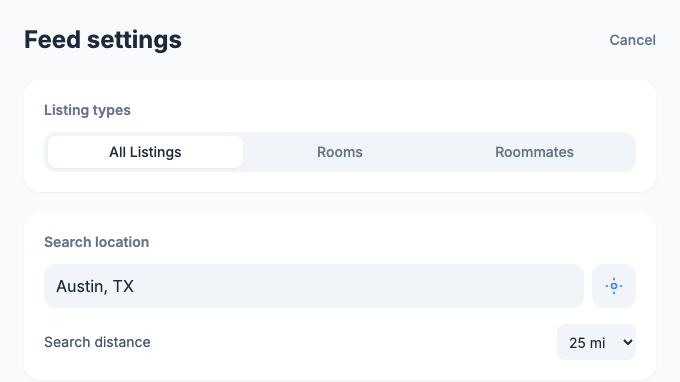
Select Save.
You are taken back to your feed, showing your new choice.
Choosing Rooms also takes you out of the roommate feed. While it is set, people looking for a roommate will not see your profile. If you want to look at places and still be found as a possible roommate, choose All Listings.
If you only posted a listing and are not looking for anything yourself, you are not in either feed, and Feed Settings shows Rooms selected. Saving without changing it keeps it that way. Choosing an option and saving starts showing you that part of the feed, and if you choose All Listings or Roommates, shows your profile to people looking for a roommate too.
On the app, sorting by Price is only offered while Show Me is set to Rooms. Switching to All Listings or Roommates sets the sort back to New.
Still stuck? Get in touch and we'll help.